
Mastering Timelines in Jira: The Essential Tool for Effective Project Planning
Jira is excellent at what it was born to do. Track work. Move issues. Keep a record of decisions. Ship.
But the moment you try to plan across time, real time with dates, dependencies, milestones, competing priorities, people going on leave, and a stakeholder asking, “So when will it be done?”… teams start feeling friction.
Because boards are not timelines.
A Scrum board shows work in progress, while a Kanban board shows work flowing. Both aid daily execution. But neither is a clear answer to:
What work overlaps next month?
What is blocked by what?
Which milestone is at risk if Epic A slips one week?
Are we stacking too much on the same few engineers?
What is the realistic release window, not the hopeful one?
That is where timeline thinking comes in. And in 2026, it is not optional anymore.
A few common triggers that push teams into looking for a timeline view:
Priorities shift every week and nobody wants to re plan in spreadsheets again.
Engineers are overloaded, quietly, until something breaks.
Dependencies live in people’s heads, or in Slack threads, or not at all.
Milestones get missed because “we thought it was almost done”.
Stakeholders want a Gantt chart like view, even if they do not call it that.
This article gives you a practical way to build, customize, and scale a Jira timeline. .
Quick note on us, since you will see the name again later. ONPOINTSERV is an Atlassian Gold Solution Partner. We help teams implement and customize Jira, and connect it with ERP and Microsoft tools. Timelines and resource planning are usually the moment when “basic Jira setup” stops being enough, so that is where we spend a lot of our time.
What is a Jira timeline (and what it isn’t)
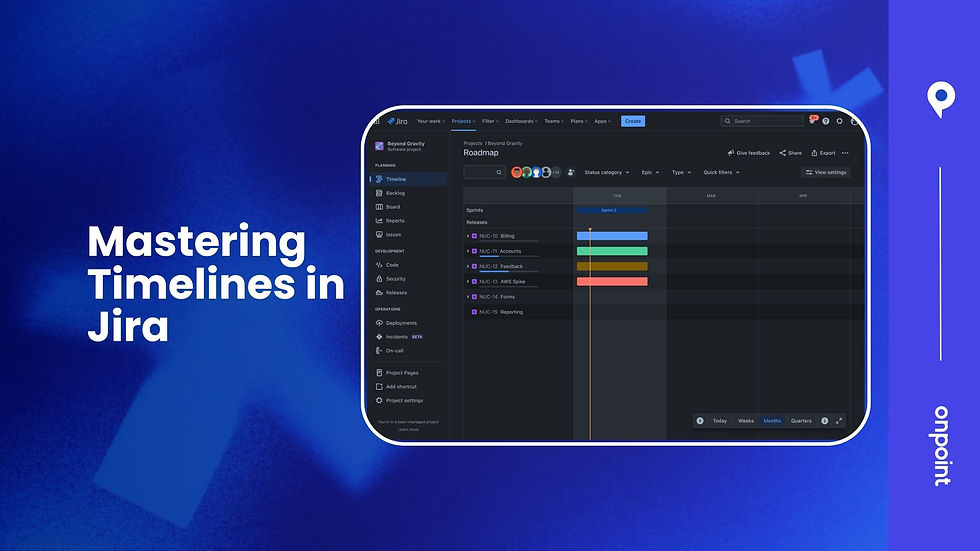
A Jira timeline is a visual, time-based planning view of work where issues are placed across dates. In practice, it resembles a lightweight Gantt chart. You see bars across a calendar, you drag things, you spot overlaps, you notice risk. Immediately.
Typically, a timeline view can show:
Epics, Stories, Tasks, sometimes Sub tasks (depends on the tool and configuration)
Start and end dates or at least due dates
Progress, often rolled up at the Epic level
Dependencies like blocked by, blocks, finish to start style relationships
Milestones and release markers
Versions or releases and their health indicators (again depends on the Jira plan and view)
What a Jira timeline is not, by default:
Not a full resource management suite. Jira does not magically know true capacity, availability, or utilization unless you build that system around it.
Not a replacement for boards. Timelines are for planning and communicating. Boards are for executing. You want both.
Where timeline thinking helps the most:
Sprint and release planning when you need to see the next 6 to 12 weeks
Coordinating delivery across multiple teams and projects
Forecasting delivery dates with less wishful thinking
Communicating status to stakeholders without translating Jira into PowerPoint every Friday
If your Jira project feels “busy but unclear”, a timeline view is usually the missing layer.
How to use Jira timeline for project planning (step by step workflow)
This is the part where it gets real. Because a timeline view is only as good as the structure and data behind it. If dates are random and dependencies are vibes, the timeline will be pretty. And wrong.
Below is a workflow that works whether you are using Jira's built in Timeline or a Marketplace app.
Step 1: Start with structure (project type, issue types, hierarchy)
First, confirm what you are working with.
Company managed vs team managed projects: Company managed projects usually give you more control over fields, screens, workflows, and standardization. Team managed is faster to spin up but can fragment your timeline data if every team invents their own fields.
Issue types: At minimum you want a clean hierarchy of Epics for big deliverables, Stories or Tasks for work items, and Sub-tasks for execution detail where needed.
Also decide early what level will be scheduled on the timeline. Most teams do well with the following approach:
Epics scheduled for stakeholder level planning
Stories and Tasks scheduled for delivery planning
Sub-tasks kept off the timeline unless you are doing very granular planning, which is usually not worth it
If you are on Jira Cloud and using Advanced Roadmaps style planning, you may also have a concept of initiatives above Epics. That changes how rollups work, but the same principle applies. Do not schedule everything. Schedule what you intend to manage.
Step 2: Make time visible (dates, scheduling rules, definitions)
Now you need dates. And not the “we will add them later” kind.
You have a few common options in Jira setups:
Due date only (simple, but weak for planning)
Start date and end date (best for timeline bars)
Target sprint + due date (works for Scrum teams, still needs discipline)
Decide what “schedule” means in your org:
Are dates commitments or forecasts?
Are you scheduling at the Story level or Epic level?
Are you allowed to move dates without approval?
Do you want to track baseline vs current dates? (this is where apps or Jira Plans become helpful)
In Jira’s native timeline views, issues become schedule bars based on those date fields. If your issues do not have consistent date fields, your timeline will look empty or misleading.
Add a simple rule for your team like:
Every Epic must have a target start and target end date.
Every Story must have at least an end date (or sprint) before it can be marked “In Progress”.
Not perfect, but it forces enough structure to plan.
Step 3: Build the first timeline (native Jira Timeline)
In Jira Cloud, Timeline is typically available in software projects as a planning view. You will see Epics and the issues inside them across a calendar.
What you do in the first pass:
Put your Epics on the calendar with rough start and end dates.
Expand each Epic and place key Stories or Tasks where they realistically belong.
Use drag and drop to adjust durations and sequencing.
Add releases or versions if you use them, so the timeline aligns with actual release gates.
At this point, you are not “done planning”. You are creating a visual draft that you can argue with. Which is exactly what you want.
Step 4: Add dependency mapping (blockers, finish to start reality)
Dependencies are where timelines either become useful… or become theater.
Start by identifying:
Internal dependencies (Story B cannot start until Story A is done)
Cross team dependencies (your project is waiting on another team’s API)
External dependencies (vendor delivery, security review, procurement)
In Jira, you can represent dependencies with issue links like:
blocks / is blocked by
depends on / is depended on (varies by configuration and apps)
Then do something many teams skip: mark risk hotspots.
A dependency is high risk when:
It is cross team and not owned clearly
It has no date of expected completion
It sits on the critical path to a milestone
It is “someone will get to it” work
Once dependencies are in the system, timeline views can surface them visually, or at least allow you to filter and review them in context.
Step 5: Mark milestones (deliverables, approvals, release gates)
Milestones are not just “big things”. They are decision points. According to project management standards, milestones can include key deliverables or approvals that signify progress in a project.
Examples:
Requirements sign off
Security review passed
UAT complete
Release candidate built
Production deployment
In Jira, milestones can be represented as:
A dedicated issue type called Milestone (common in scaled setups)
A zero duration task (start date equals end date)
A version or release marker (when using Jira releases)
The key is consistency. If one project uses versions and another uses milestone issues, leadership cannot compare timelines.
Step 6: Track progress (see slippage early, not at the end)
A timeline is not a one time plan. It is a living view of whether reality matches the plan.
To track progress well:
Make sure Stories have estimates (story points or time estimates, pick one system and stick to it)
Use Epic progress rollups so you can see completion percentage
Watch for “hidden slippage” where tasks move right quietly but milestones do not move (this is where trust dies)
A simple weekly ritual:
PM or team lead reviews the timeline
Checks dependencies that changed
Updates dates with the team
Publishes a filtered view to stakeholders (more on that below)
Best practices for effective project planning using timelines in Jira
This is the stuff that sounds boring, but it is literally the difference between a timeline people trust and a timeline people ignore.
Model your hierarchy intentionally
Keep it clean:
Epics represent outcomes or deliverables.
Stories and Tasks represent work that can be completed inside a sprint or two.
Sub tasks represent execution steps, but do not let them become the planning layer.
Also keep ownership clear. Every Epic should have an owner. Not a group. A person.
Standardize fields (or your timeline becomes noise)
If you want timelines to work across teams, standardize these fields:
Start date, end date or due date (whatever you chose, enforce it)
Estimate method (story points or original estimate)
Team or squad field (so you can filter and segment)
Dependency link types (so “blocked by” means the same thing everywhere)
If you are in a multi project environment, this is where company managed projects and shared field contexts help. Otherwise, every timeline is its own little universe.
Use custom filtering in timeline views for different audiences
Do not show executives the same timeline you show engineers.
A few useful views to create:
Executive view: Epics only, milestones, releases, and top 10 risks.
Team lead view: Epics plus Stories, dependencies highlighted, next 4 to 8 weeks.
PM view: Everything needed to manage the critical path, including cross project dependencies.
Most timeline tools let you filter by:
assignee
team
label
component
Epic
status
date range
Build and save those views. Make them part of the operating rhythm.
Avoid “date theater”
Date theater is when dates exist only to make a chart look complete.
To avoid it:
Tie dates to capacity. If the same two engineers are on five critical path tasks in the same week, the timeline is lying.
Update frequently. Weekly beats quarterly.
Track progress honestly. If something is stuck, reflect it. Do not keep the bar where you wish it was.
Stakeholders can handle bad news. They cannot handle surprises.
Create a repeatable template (so new projects start sane)
If you run similar projects repeatedly, create a reusable template:
Standard Epic structure (Discovery, Build, Test, Release, etc)
Standard milestone set (Security review, UAT, launch)
Standard fields and screens
Standard filters and dashboard links
It cuts planning time and increases consistency. And when timelines get compared across projects, you will be glad you did it.
How ONPOINTSERV helps teams master Jira timelines (implementation approach)
A lot of teams try to “just turn on a timeline view” and expect planning clarity to appear. Sometimes it does, briefly. But if the underlying Jira setup is inconsistent, or if cross project visibility and capacity planning matters, things break fast.
This is how ONPOINTSERV acts when timelines are tight.
1) Discovery: identify real planning issues
2) Configuration: set up Jira for timeline planning
3) Training: teach weekly upkeep, not quarterly rebuilds
4) Integrations: link Jira with Microsoft and ERP
5) Governance: set ownership, cadence, views
Wrap up: create timelines people trust
A good Jira timeline changes behavior.
You get clearer dependencies and realistic dates.
The path is clear:
Start with Jira’s native timeline for single projects.
Use Jira Cloud Premium with Plans for cross-project planning.
ActivityTimeline fills gaps in native timelines by offering:
If you want a practical next step that does not require a big overhaul, do this:
Pick one active project.
Audit Epic and Task dates. Are they present and consistent?
Add or confirm dependencies for the top 10 critical issues.
Create one stakeholder timeline view (Epics, milestones, releases only).
Then decide if native Jira timeline is enough, or if you need app based timelines for 2026 delivery demands.
That is how you build timelines people actually trust. Not perfect. Not frozen. Just honest, visible, and maintained.
FAQs (Frequently Asked Questions)
Why is a timeline view considered the missing piece in most Jira projects?
Most Jira projects excel at tracking work and managing issues but lack effective time-based planning. Boards like Scrum and Kanban focus on execution status rather than visualizing timelines with dates, dependencies, milestones, and resource allocation. This absence causes teams to struggle with questions about overlapping work, blocked tasks, milestone risks, engineer workload, and realistic release windows. Hence, a timeline view fills this critical gap by enabling better cross-time planning and communication.
What exactly is a Jira timeline and how does it differ from traditional boards?
A Jira timeline is a visual, time-based planning tool resembling a lightweight Gantt chart where issues are mapped across dates showing start/end times, progress, dependencies, milestones, and releases. Unlike Scrum or Kanban boards that represent current work status and flow, timelines focus on future planning and scheduling to forecast delivery dates and identify risks. Timelines complement boards by providing a strategic overview rather than day-to-day execution details.
When should teams consider adopting a Jira timeline for their projects?
Teams should look for a timeline view when priorities shift frequently without easy replanning options, engineers become overloaded unnoticed, dependencies are unclear or undocumented, milestones get missed due to poor visibility, or stakeholders demand clear schedule visuals like Gantt charts. Essentially, if your project feels busy but lacks clarity on timing and coordination across teams or projects, integrating a timeline becomes essential for effective planning.
How can teams effectively implement a Jira timeline for project planning?
Effective implementation starts with establishing the right project structure—choosing between company-managed or team-managed projects—and defining issue types with a clear hierarchy (Epics for big deliverables; Stories/Tasks for work items; Sub-tasks only if granular planning is needed). Next, make time visible by setting consistent scheduling fields such as start/end dates or due dates and defining clear scheduling rules around commitments versus forecasts. This foundation ensures the timeline accurately reflects project plans and dependencies.
What are the limitations of Jira timelines by default?
By default, Jira timelines do not provide full resource management capabilities—they cannot automatically calculate true capacity or utilization without additional systems. They also don't replace execution boards; instead, they serve as complementary tools focused on planning and communication. For deeper resource planning or operational visibility beyond native features like Timeline or Advanced Roadmaps (Jira Plans), teams often need Marketplace apps or custom integrations.
How does timeline thinking improve sprint and release planning in Jira?
Timeline thinking enables teams to visualize work over the next 6 to 12 weeks across multiple teams and projects. It helps forecast realistic delivery dates by reducing wishful thinking through visible dependencies and progress tracking. This approach facilitates better coordination of deliveries, early identification of risks to milestones if delays occur (e.g., an Epic slipping), balanced workload distribution among engineers, and clearer communication of status to stakeholders without relying on manual PowerPoint updates every week.


Comments